Trading & Settlement
Creating an Offer for Investors
With the bonds successfully minted and securely held in the issuer's wallet, the asset is officially live. The next critical phase is transitioning to the primary market to offer these bonds to prospective investors.
Configuring the Marketplace Offer
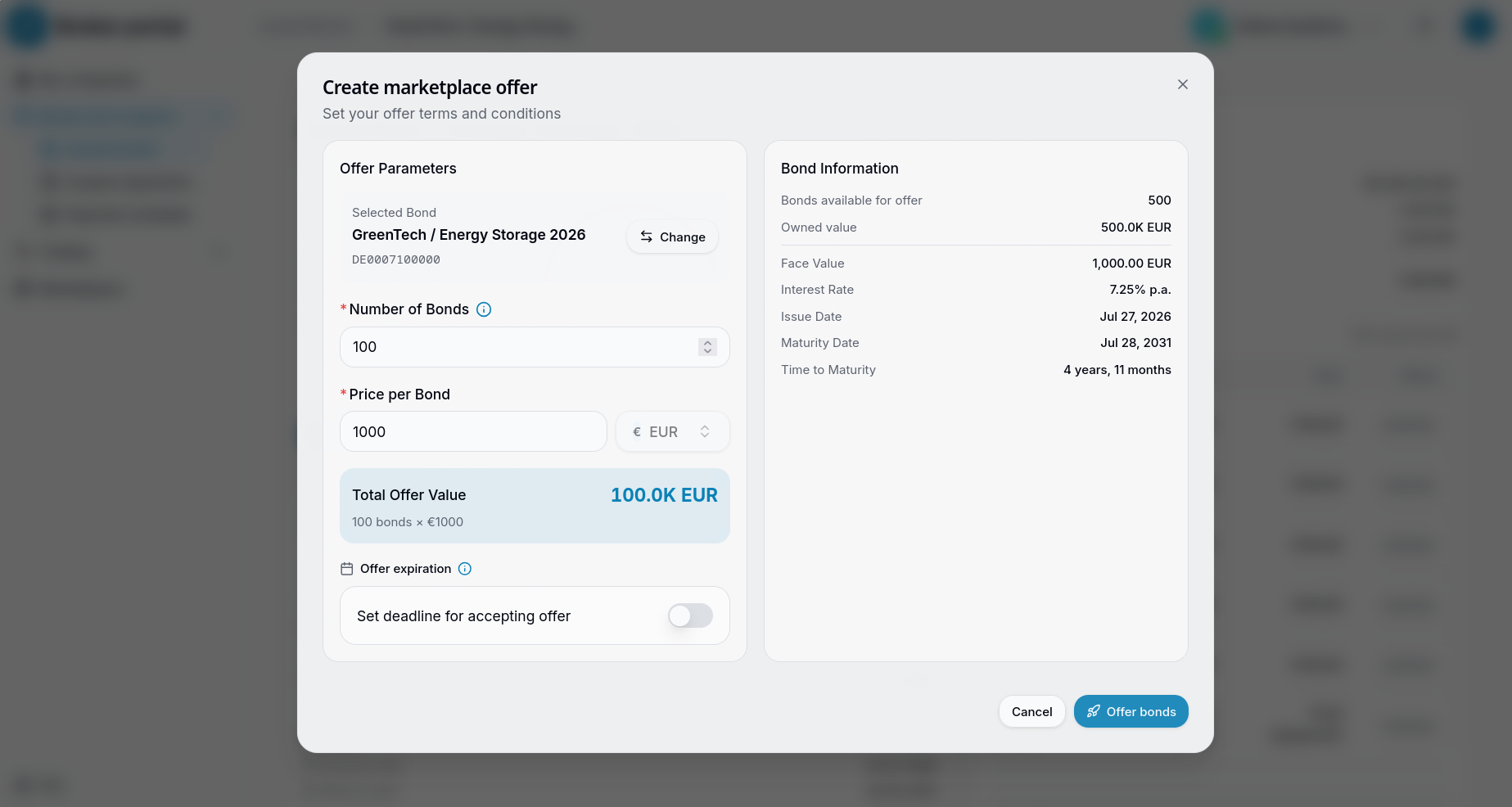
To begin raising capital, the issuer must list a specific number of their held bonds for sale. The user navigates to the trading interface and initiates a new offer. A "Create marketplace offer" modal appears.
The platform provides a clear, side-by-side view. On the right, the "Bond Information" pane summarizes the available inventory (e.g., 500 bonds available) and the foundational terms locked in during the issuance phase. On the left, the user sets the specific "Offer Parameters."
The issuer selects the target bond (e.g., "GreenTech / Energy Storage 2026") and inputs the Number of Bonds they wish to sell in this specific tranche. They also define the Price per Bond, which is typically set at the face value (e.g., €1,000) for a primary market issuance. The platform automatically calculates the Total Offer Value. The issuer also has the option to toggle a specific expiration deadline for this offer before clicking "Offer bonds".
Cryptographic Authorization
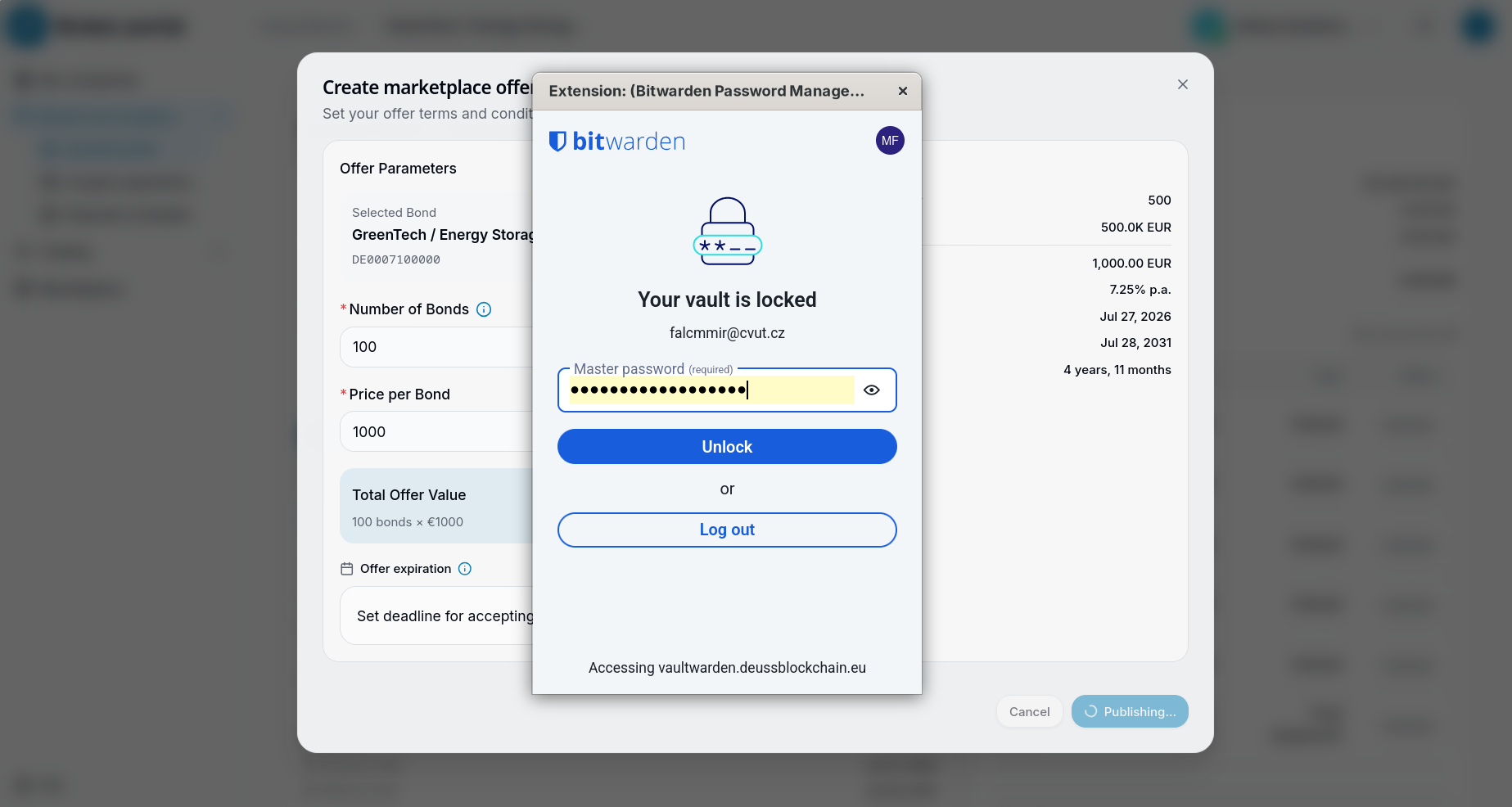
Because DEUSS Core operates on a secure blockchain infrastructure, placing an offer requires a cryptographic signature to verify the user's intent and authority. Upon clicking "Offer bonds," the system intercepts the request to ensure secure authorization. First, the user's secure vault (such as the Bitwarden extension) prompts them to unlock their credentials.
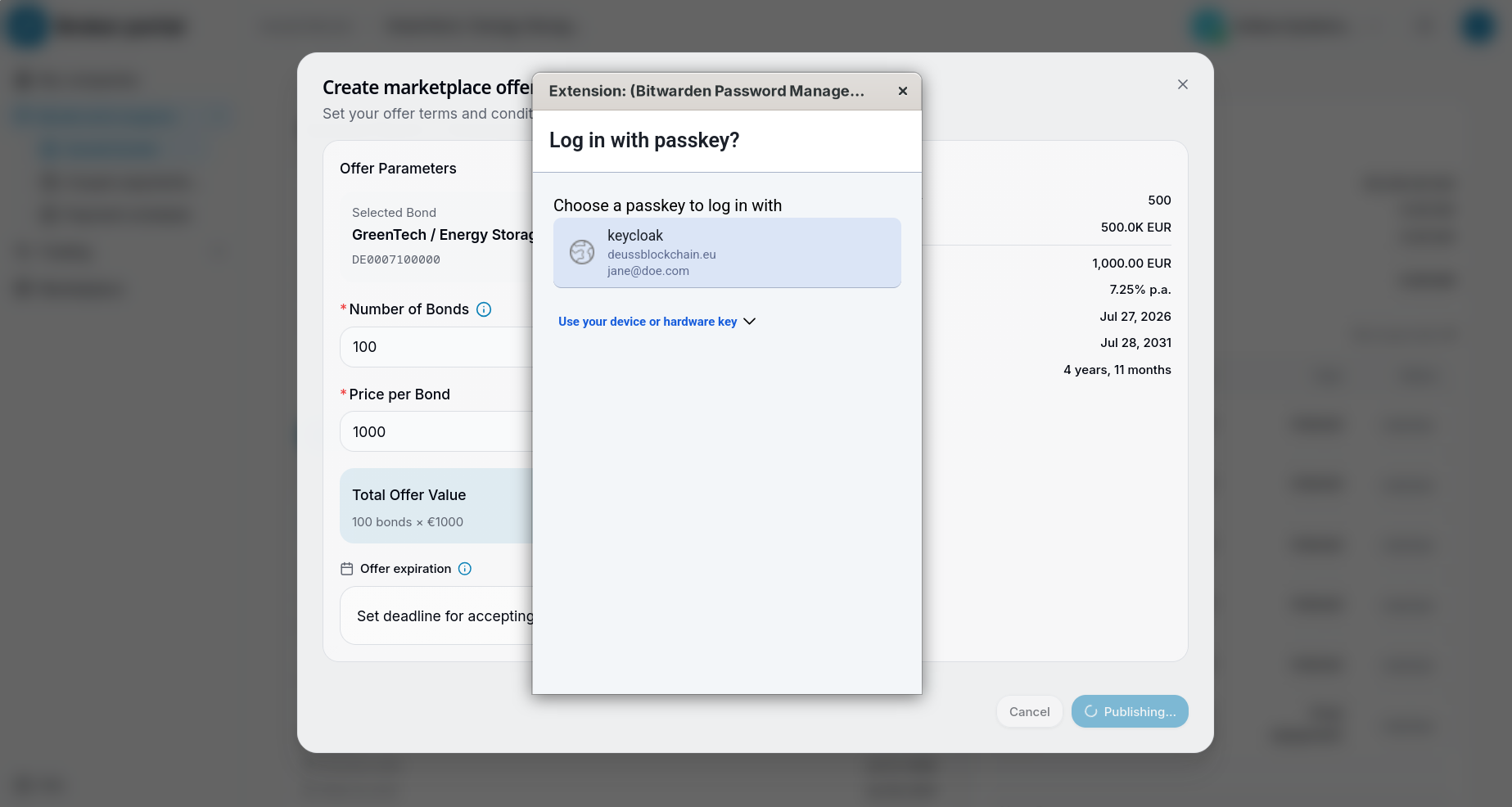
Following this, the system leverages a WebAuthn passkey prompt. The user selects their registered keycloak passkey to seamlessly and cryptographically sign the transaction. This passwordless, hardware-backed approach ensures that only the verified corporate representative can move assets or create binding market offers, eliminating the risks associated with manual private key management.
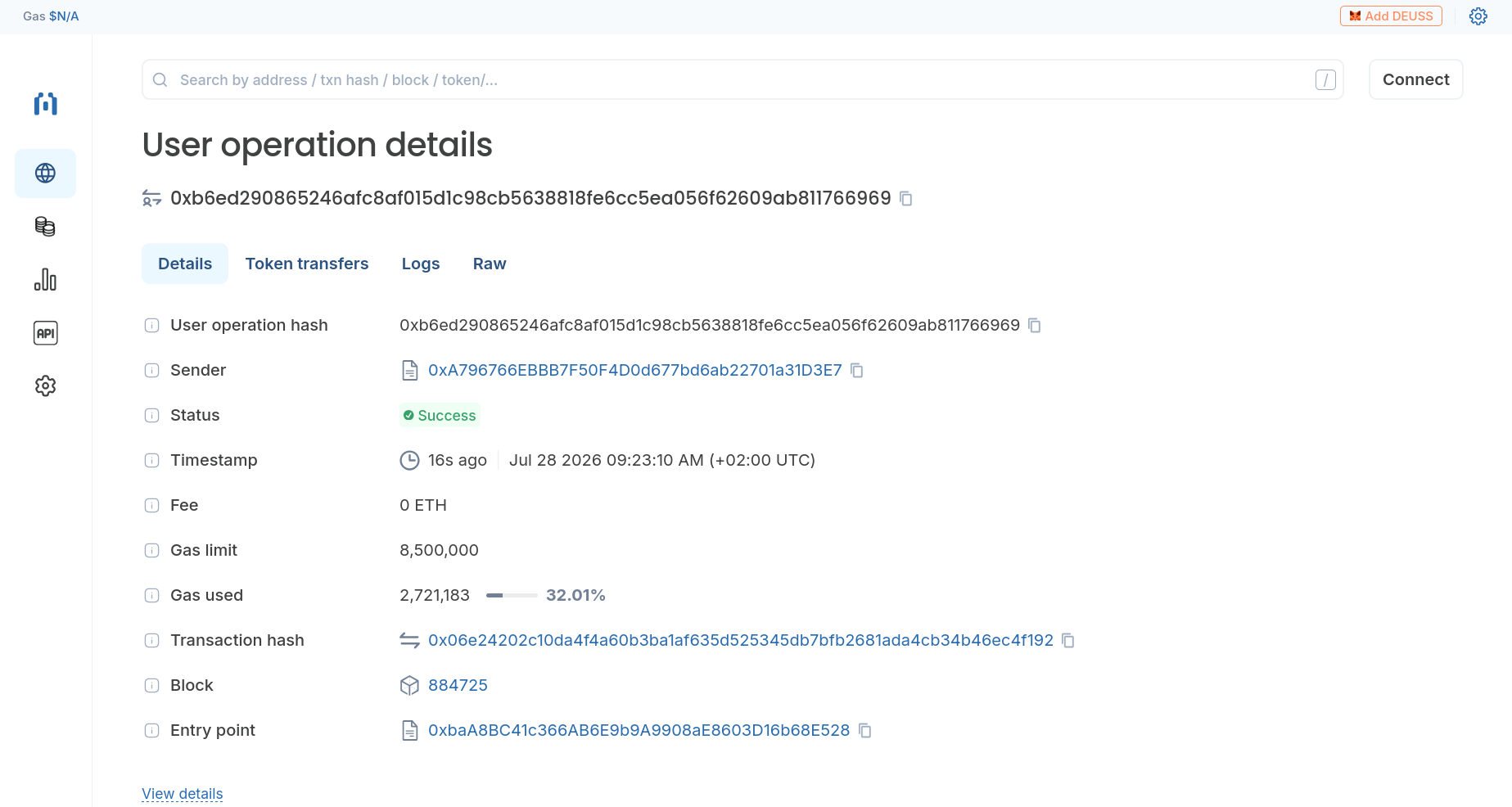
To guarantee complete transparency and immutable settlement, every action is recorded on-chain. As proof of execution, the underlying user operation is processed and confirmed by the network. By viewing a block explorer like Blockscout, anyone can verify the cryptographic proof of the transaction. The explorer displays the successful status, the precise timestamp, the sender's address, and the specific transaction hash, confirming that the offer is permanently written to the ledger.
The Investor's Perspective
With the bonds successfully listed on the marketplace, investors can browse and participate in the offering. The investor (e.g., GreenBridge Asset Management GmbH) logs into the broker portal and navigates to the specific bond issuance.
Initiating the Purchase
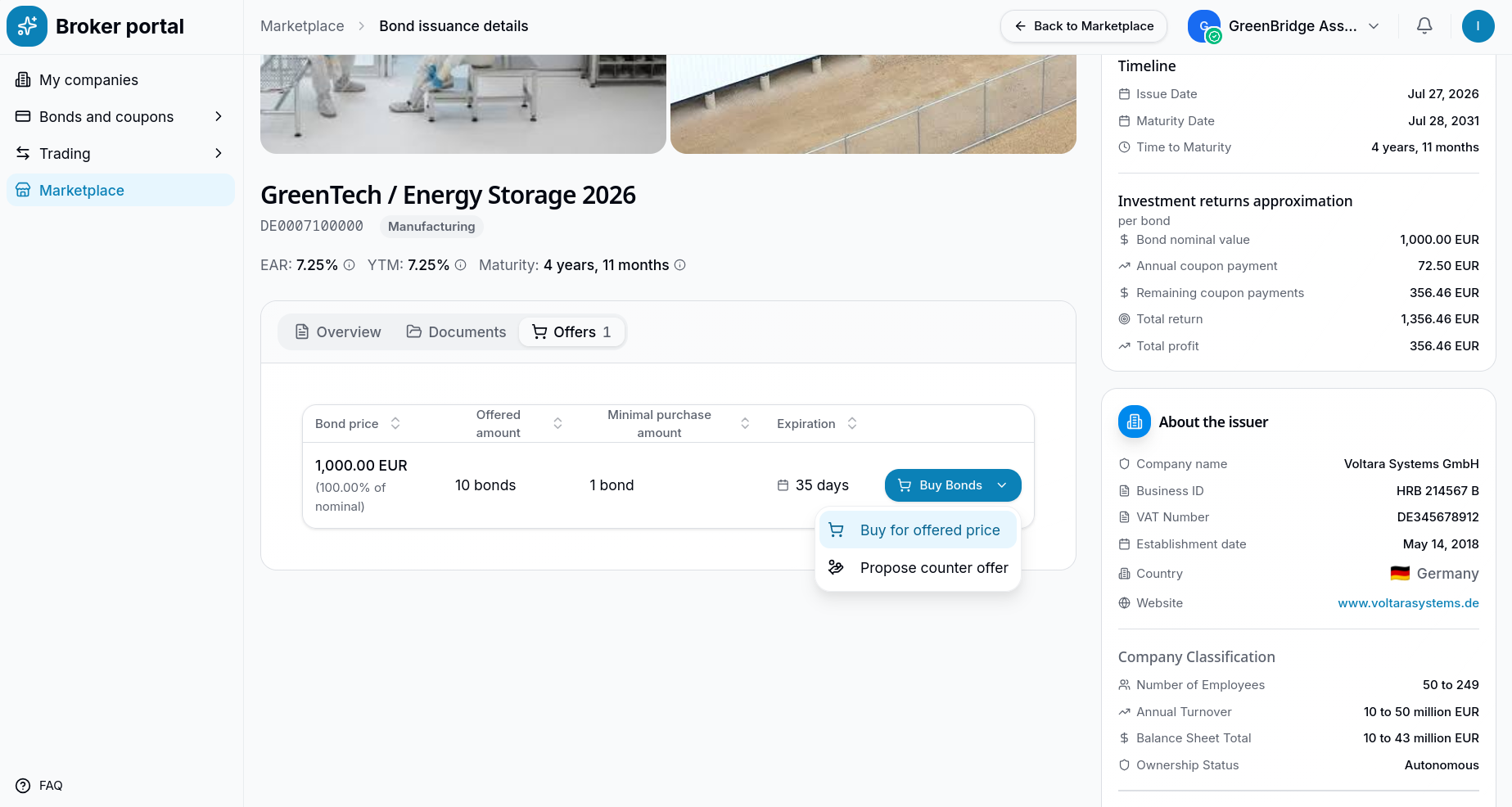
On the "Offers" tab of the bond details page, the investor reviews the active listings. Upon clicking the "Buy Bonds" dropdown, they are presented with two primary options: buy at the listed terms or propose a counter offer.
Proposing a Counter Offer (Optional)
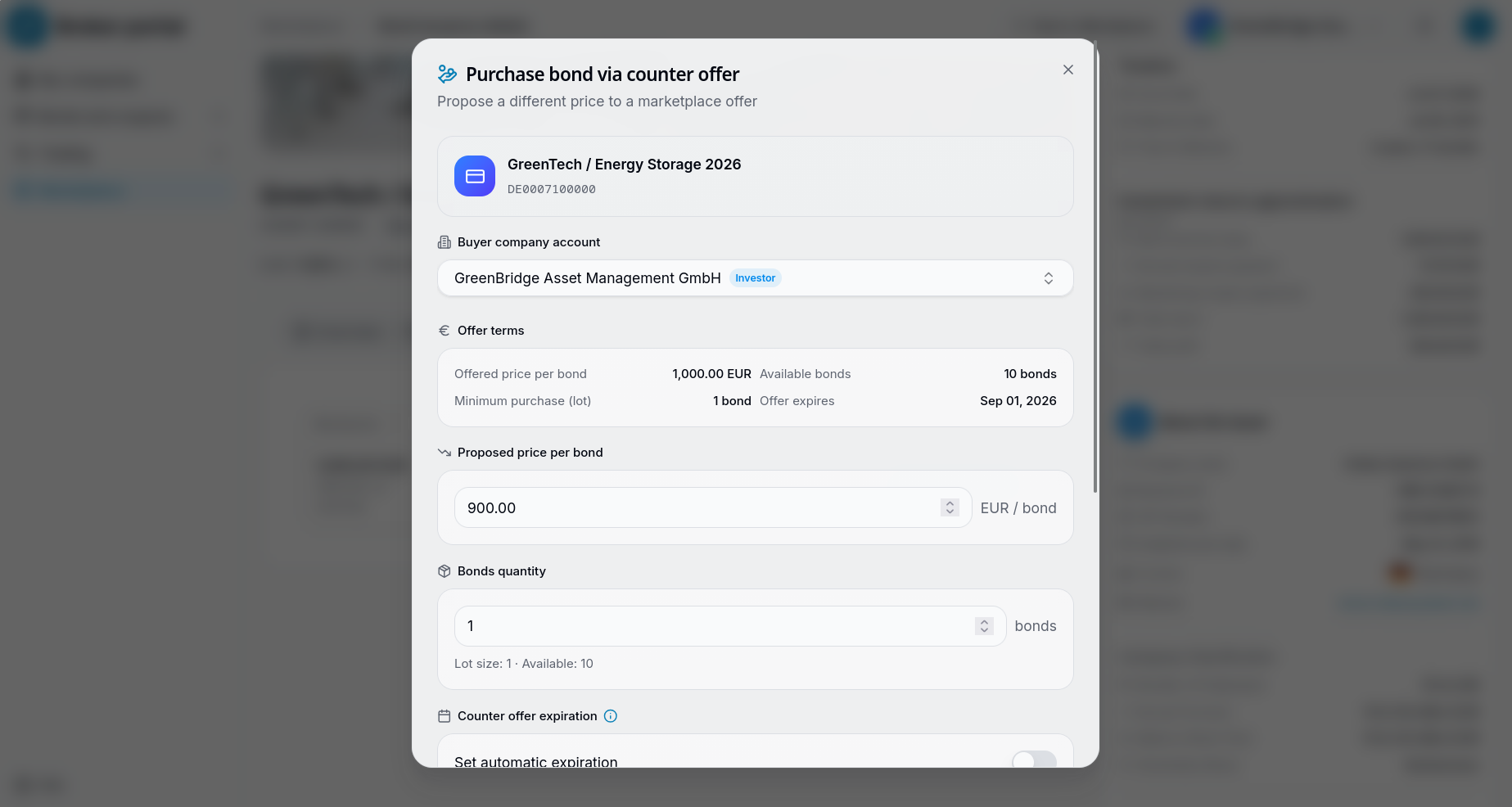
The platform facilitates negotiation. If the investor wishes to suggest different terms, they can select "Propose counter offer." A modal appears allowing them to propose a lower price per bond (e.g., €900) or adjust the quantity before submitting the counter offer for the issuer's review.
Purchasing at the Offered Price
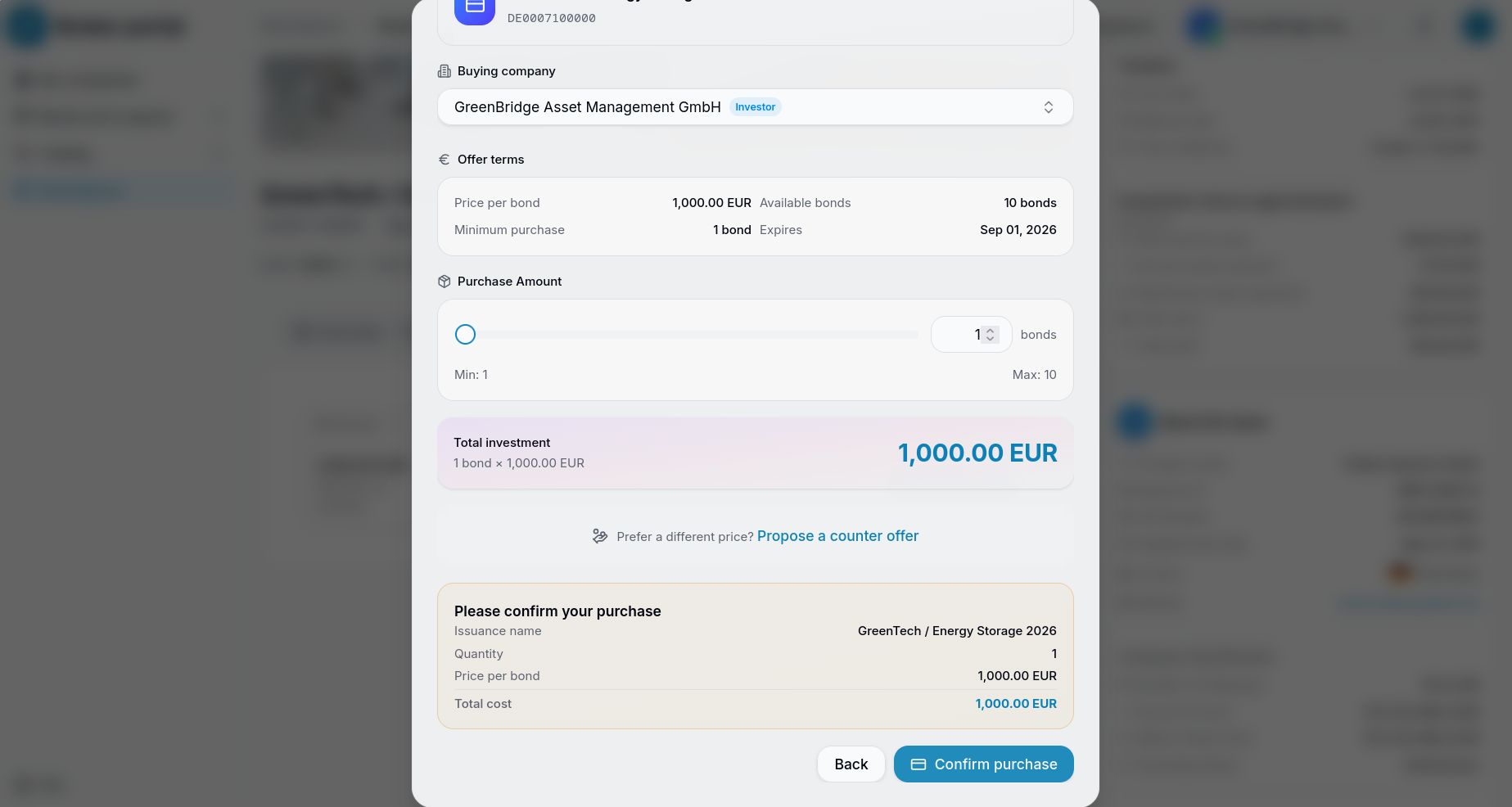
For a standard primary market purchase, the investor selects "Buy for offered price". The system opens the purchase modal, where the investor uses a slider or input field to select the exact quantity of bonds they wish to acquire, instantly calculating the total investment value.
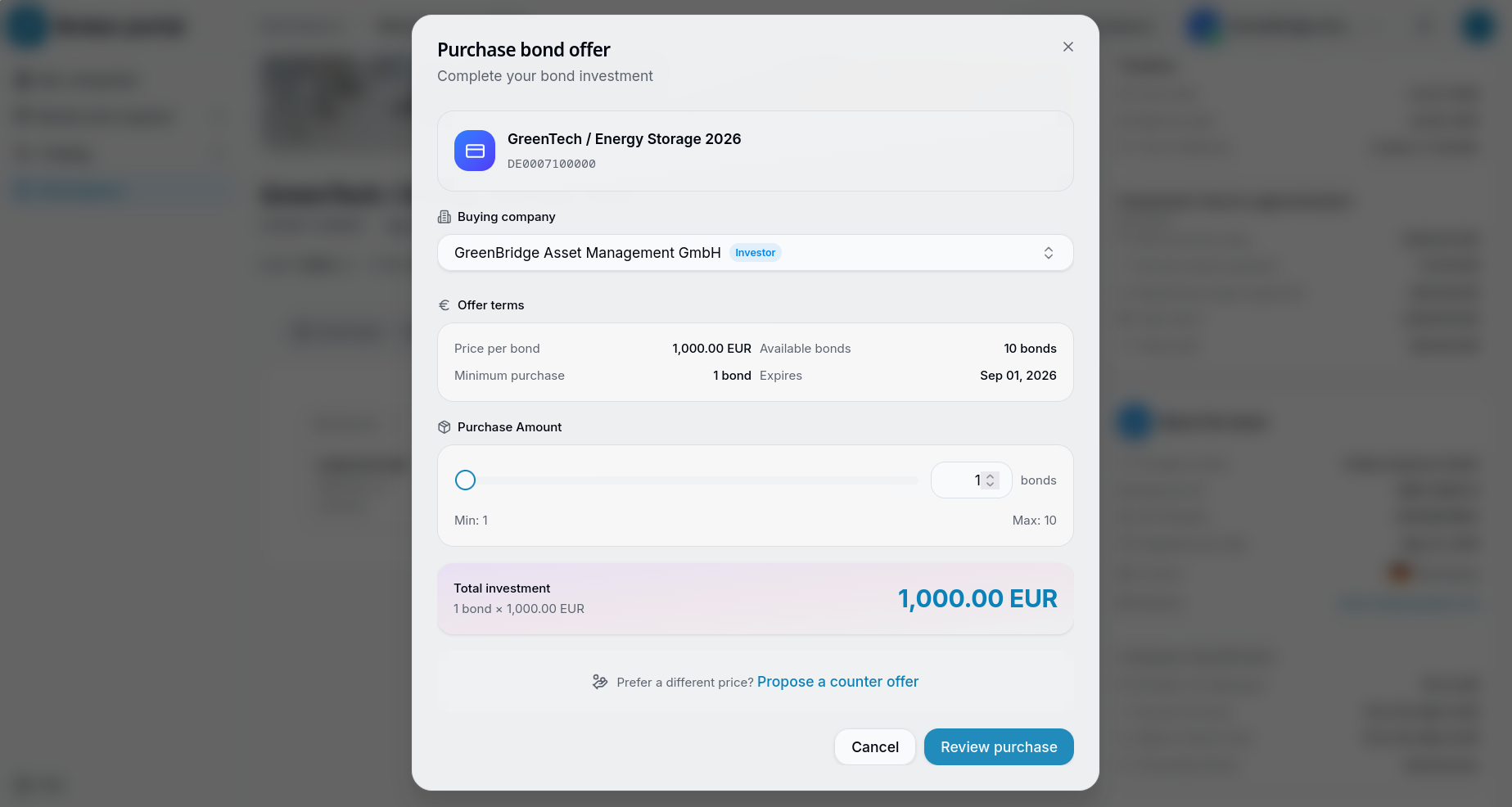
After selecting the desired amount, the investor proceeds to the final review screen. This confirmation step clearly summarizes the issuance name, the quantity of bonds, the price per unit, and the total cost of the transaction.
Cryptographic Authorization
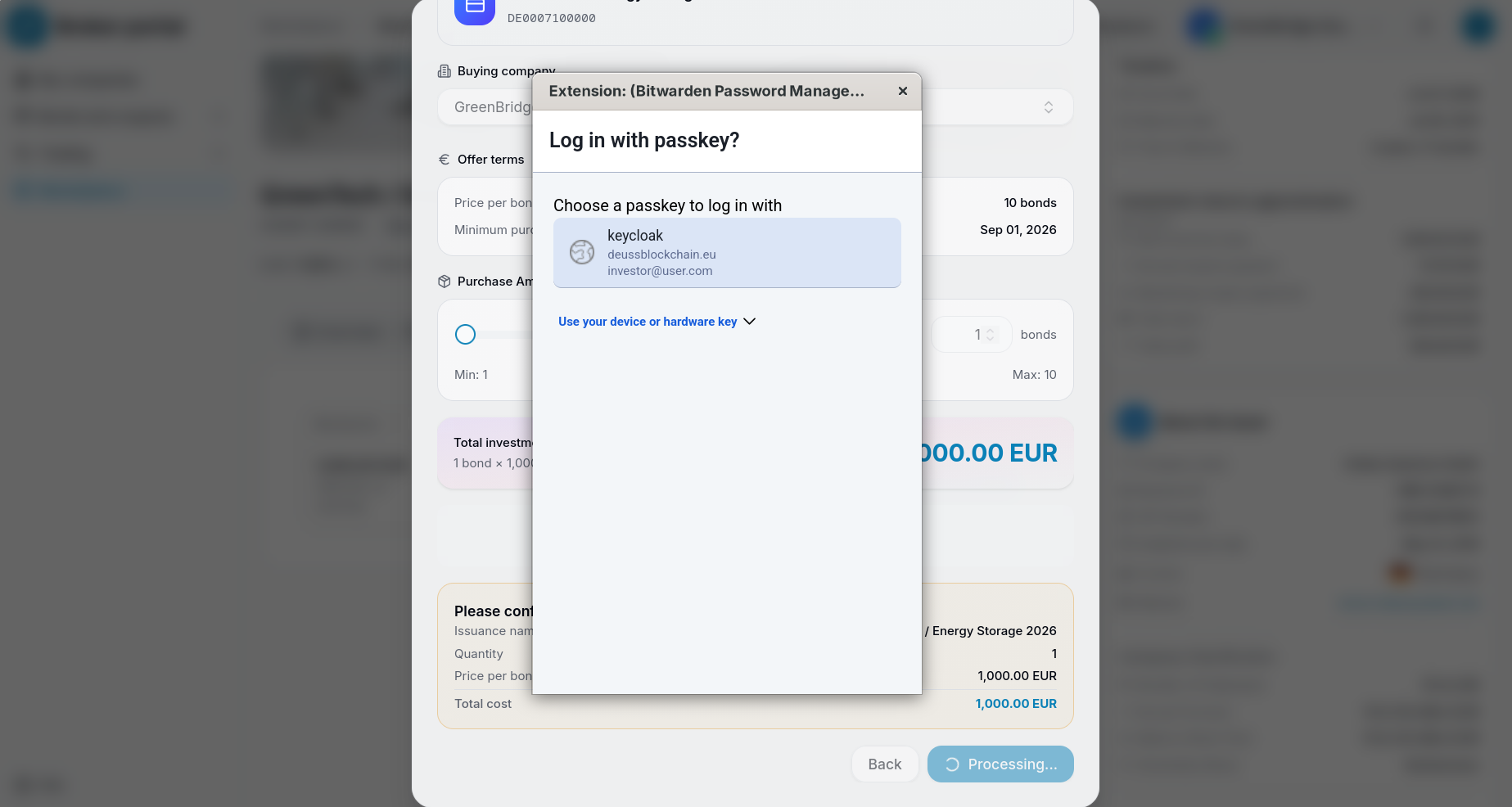
Just like the issuer, the investor's actions require secure, on-chain authorization. Upon clicking "Confirm purchase", the platform prompts the investor to securely sign the intent using their registered WebAuthn passkey, ensuring non-repudiation and high security.
Tracking the Pending Deal
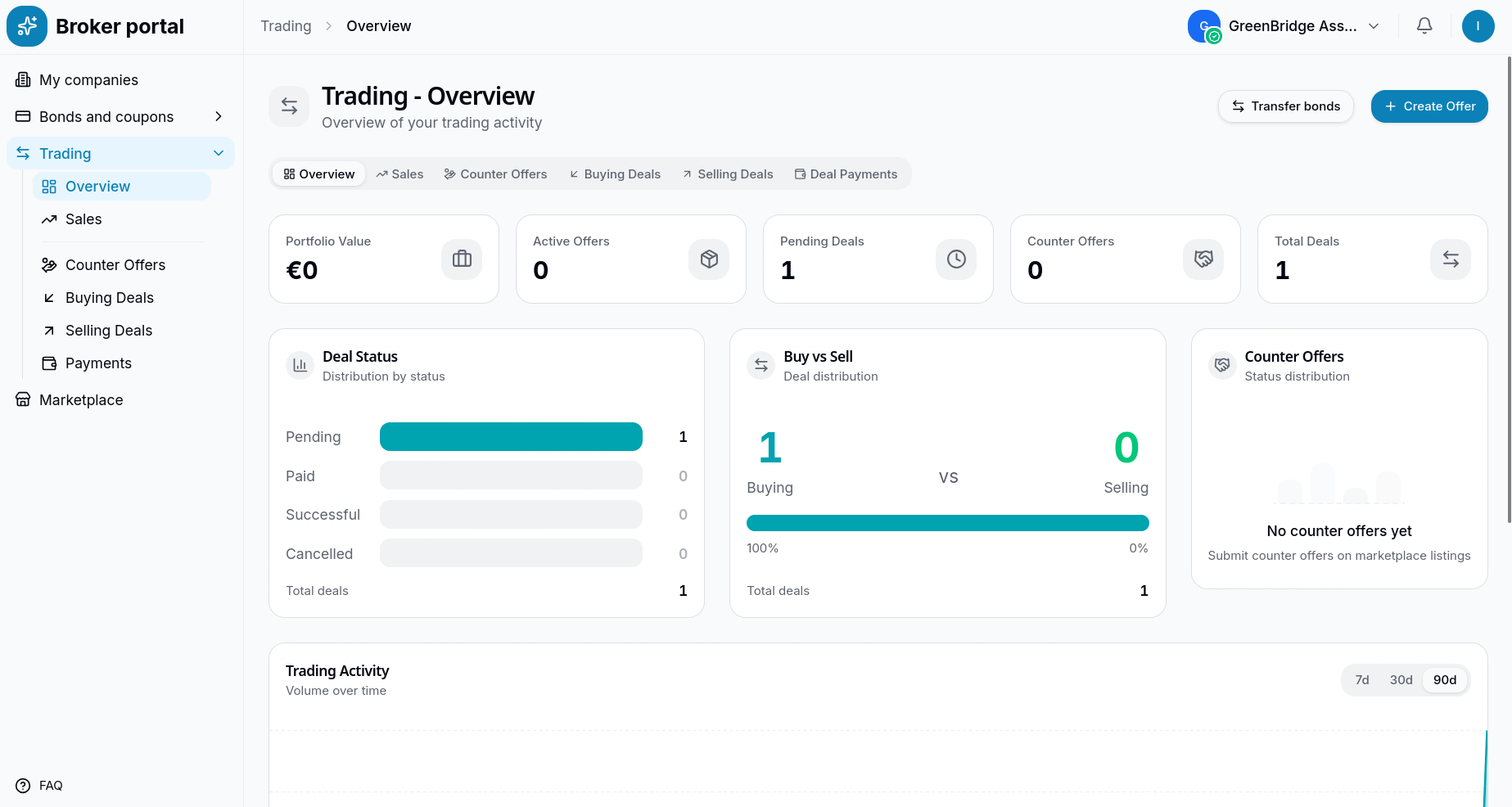
Once the cryptographic signature is verified, a smart contract securely locks in the agreement, creating a "Deal." The investor is redirected to their Trading Overview dashboard. Here, the metrics update to reflect one active "Pending Deal," indicating that the initial purchase phase is complete.
Awaiting Payment Confirmation
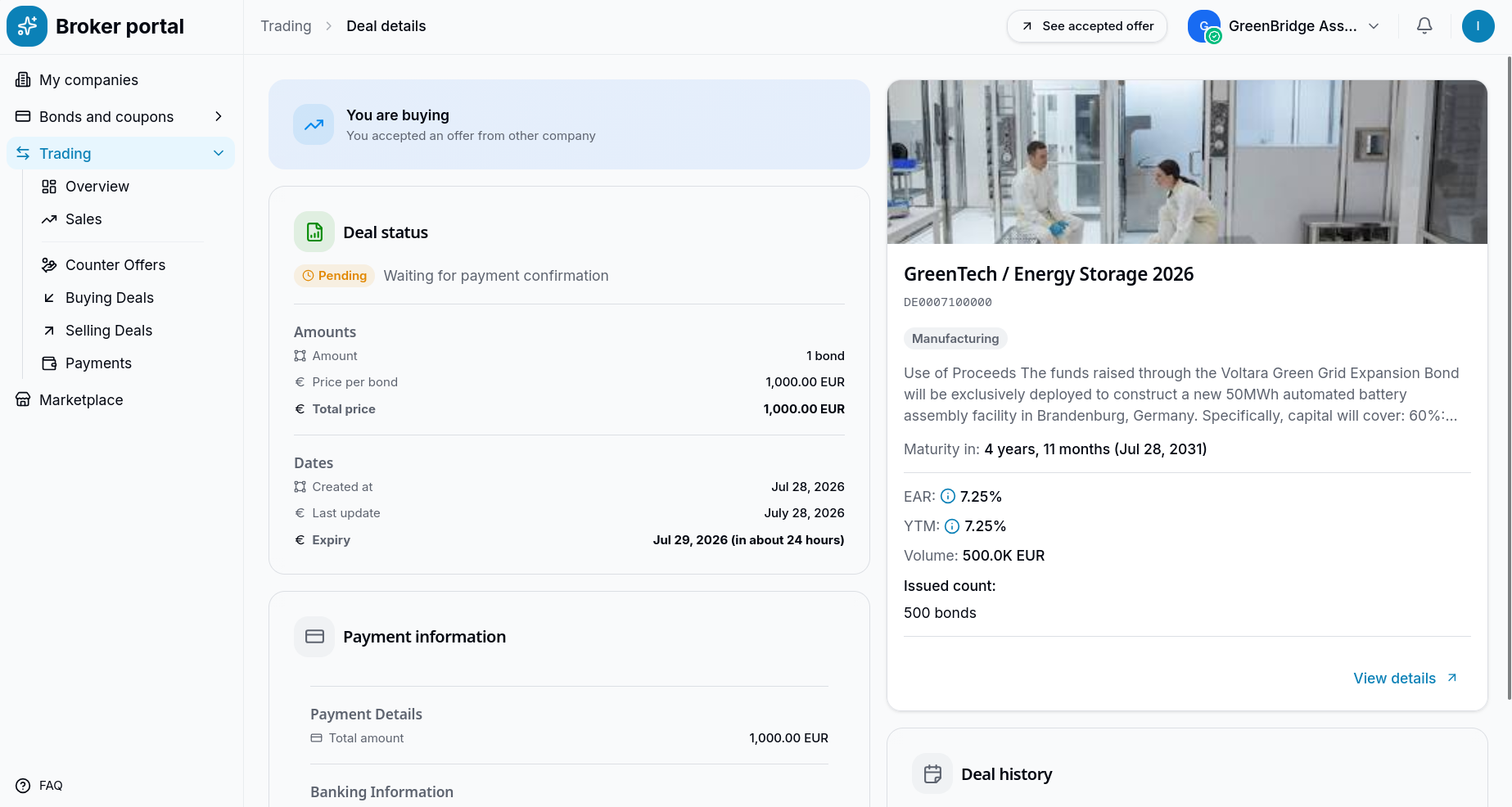
The investor clicks into the "Pending Deals" section to view the specific deal details. The interface confirms that the deal is in a "Pending" state, currently awaiting fiat payment confirmation. The dashboard provides the necessary banking information and deadlines to finalize the settlement and officially transfer ownership of the bonds.
The Issuer's Perspective (Post-Deal)
Tracking the Sale
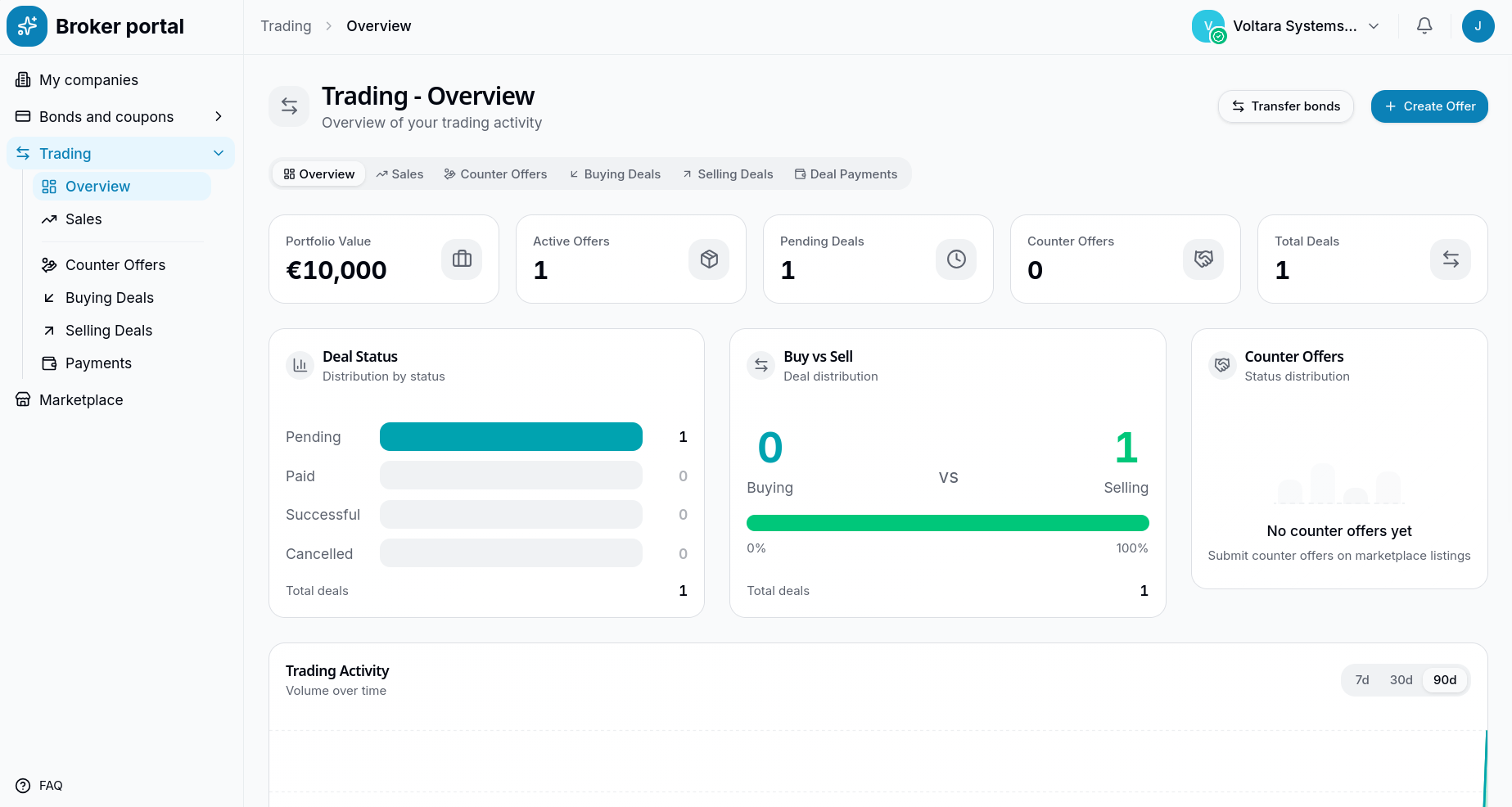
Meanwhile, the issuer (Voltara Systems GmbH) logs into their broker portal to monitor trading activity. On their "Trading - Overview" dashboard, they can instantly see the new interaction. The "Pending Deals" metric reflects the incoming purchase, and the "Buy vs Sell" chart clearly illustrates one active selling deal.
On-Chain Transaction Verification
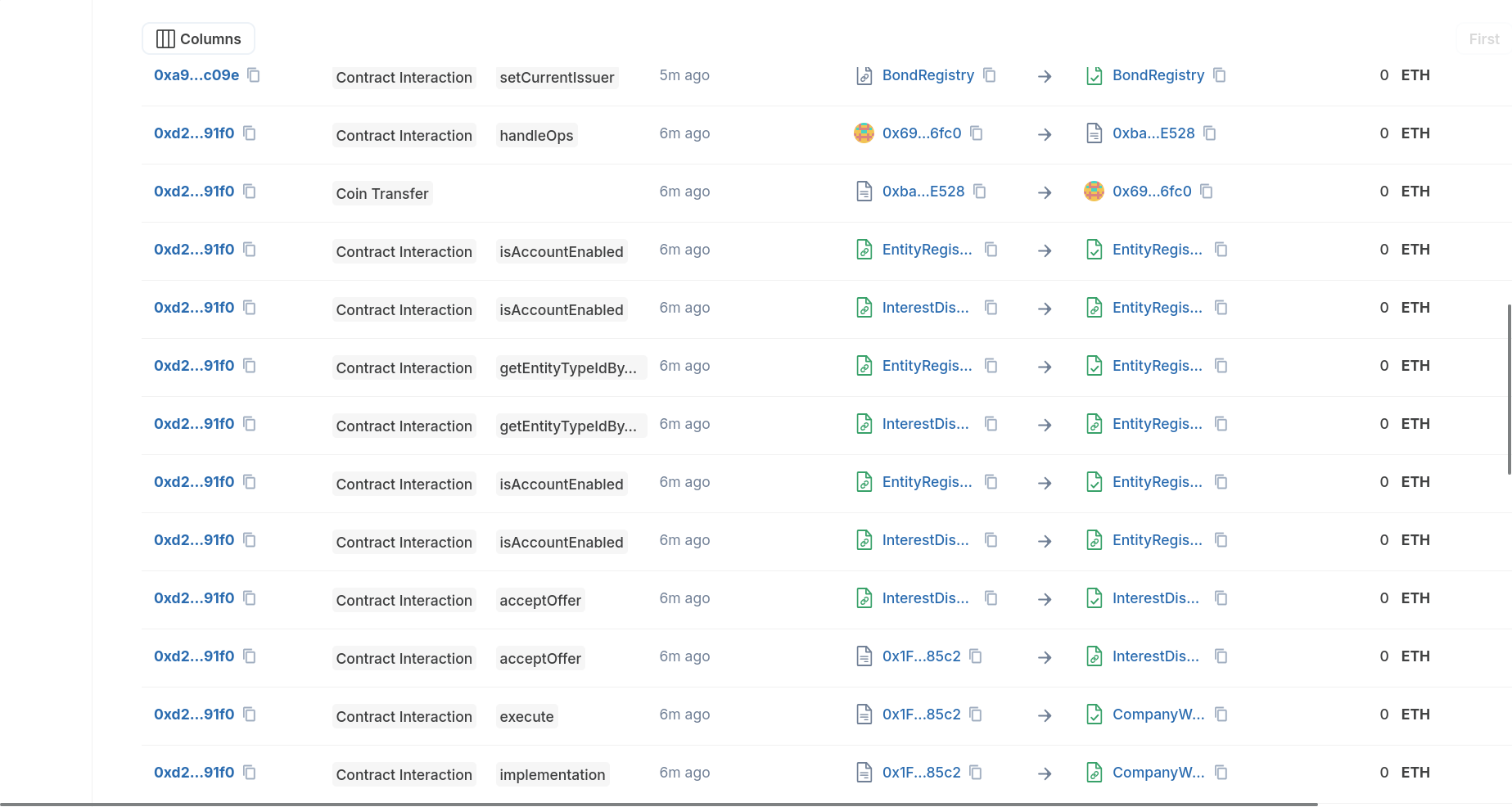
Just as with the initial offer creation, the investor's purchase action triggers a series of smart contract interactions. By examining a block explorer, users can view the underlying transactions associated with the deal. The explorer logs confirm the exact sequence of events, including the acceptOffer and execute contract calls, ensuring that the agreement is immutably recorded on the DEUSS blockchain.